Last updated: November 8, 2026
Email marketing automation sends targeted emails to your subscribers automatically, triggered by what they do rather than by someone sitting down to hit send, and most small businesses get real value from just two or three sequences before they ever build anything complex. A welcome series of three to five emails, a cart or form follow-up, and a win-back message for people who have gone quiet will cover the bulk of what automation does for a growing company in Canada. The idea is simple once you see it in action. You set a rule, something like “when a person joins my list, wait an hour, then send this,” and the software does the sending, the timing, and the personalizing for every contact without you watching the clock. How far you take it depends on your goals, your list size, and how much of your customer journey you want to put on rails.
Email marketing automation, by the numbers
- Starter setups: most small businesses begin with 2 to 3 automated sequences, usually a welcome series, a follow-up, and a re-engagement flow.
- Welcome series length: commonly 3 to 5 emails spread over the first one to two weeks after signup.
- Common triggers: a newsletter signup, a purchase, an abandoned cart or form, a tag or segment change, or a stretch of inactivity.
- Entry-level cost: many capable platforms start free or in the range of 20 to 70 Canadian dollars a month for a small list, as a planning estimate that climbs with contacts and features.
- Canada-specific rule: CASL requires consent, clear sender identification, and a working unsubscribe in every commercial email, automated ones included.
- Biggest early win: the welcome email, which typically earns some of the highest open rates of anything you send because it lands when interest is fresh.
Automation terms worth knowing first
Trigger: the action or condition that starts an automated email or sequence, such as someone subscribing, buying, or clicking a link.
Workflow: the full map of what happens after a trigger, including the emails, the waiting periods, and any yes or no branches along the way.
Sequence or drip: a set of emails sent one after another on a schedule or based on behavior, like a short onboarding series.
Segmentation: splitting your list into smaller groups based on interests, behavior, or purchase history so the right people get the right message.
Personalization: using what you know about a contact, such as their first name or last purchase, to tailor the content of an automated email.
Automation sits where your email tool, your website, and your customer data meet, so the right setup for your business depends on what you are actually trying to move, whether that is more first purchases, fewer abandoned carts, or steadier repeat business. A one-person service company needs something far lighter than an online store with thousands of orders a month. One honest caution before you build anything: automation is a way to send the right message at the right time, not a shortcut to results. It will not fix a weak offer, rescue a list built without consent, or guarantee sales, and the ranges in this guide are planning references drawn from how these projects usually run, not promises for any single business.
Key takeaways
- Email marketing automation sends the right message automatically based on a trigger, so timing and follow-up happen without manual sending.
- Start small. A welcome series, a purchase or cart follow-up, and a re-engagement flow handle most of what a small business needs.
- Email marketing and marketing automation overlap but are not the same. Email automation lives inside the broader practice of automating marketing across channels.
- Good automation runs on clean data and clear segments. Garbage in means poorly timed, irrelevant emails out.
- In Canada, CASL applies to automated email just as it does to a manual send, so consent, identification, and an easy unsubscribe are not optional.
- Measure flows by the action they are meant to drive, not vanity opens, and treat any cost or benchmark figure here as a planning estimate.
What is email marketing automation?
Email marketing automation is the use of software rules to send targeted emails automatically based on triggers, timing, or subscriber behavior, so that each contact gets a relevant message without someone manually sending it. Instead of writing and scheduling every email by hand, you build a workflow once and the platform runs it for everyone who meets the conditions, this week and next year. A new subscriber today and a new subscriber in six months both receive the same welcome sequence, each starting from the moment they joined.
It helps to see automation as one layer of a complete email marketing program, not a separate thing. You still need a list people actually chose to join, an offer worth their attention, and emails worth opening. Automation handles the sending and the timing so your team can spend its hours on strategy and content rather than logistics. If email is still new to you, our explainer on what email marketing is covers the fundamentals, and the broader email marketing strategy guide shows how automation fits alongside your regular campaigns and newsletters.
The practical difference automation makes is consistency. A busy owner forgets to follow up with a lead who filled out a form last Tuesday. A workflow never does. That reliability is why even very small businesses see automation as one of the higher-leverage things they can set up, since it keeps working through holidays, busy seasons, and the days you are too buried to touch your inbox.
How does email marketing automation work?
Email marketing automation works through three moving parts that fit together: a trigger that starts the flow, conditions and delays that control timing and branching, and personalization that tailors each message. Once you understand those three, every workflow you ever see becomes easy to read, from a one-email autoresponder to a sprawling multi-branch journey.
A trigger is the starting gun. It can be an explicit action, like subscribing or making a purchase, or a change in a contact’s data, like being added to a segment or crossing 60 days without opening anything. Conditions and delays come next. A delay holds the next email for a set time, say two days, while a condition checks something before proceeding, such as “did they open the last email?” or “have they bought yet?” Those checks let a single workflow send different paths to different people. Personalization then fills in the details, pulling a first name, a recent product, or a location into the message so it reads like it was written for that one reader.
| Building block | What it does | Everyday example |
|---|---|---|
| Trigger | Starts the workflow | Someone signs up for your newsletter |
| Delay | Waits before the next step | Hold the second email for two days |
| Condition | Branches based on behavior or data | Did they click the first email, yes or no |
| Action | Sends an email or updates the contact | Send the offer, then add a tag |
| Personalization | Tailors the content per contact | Insert first name and nearest location |
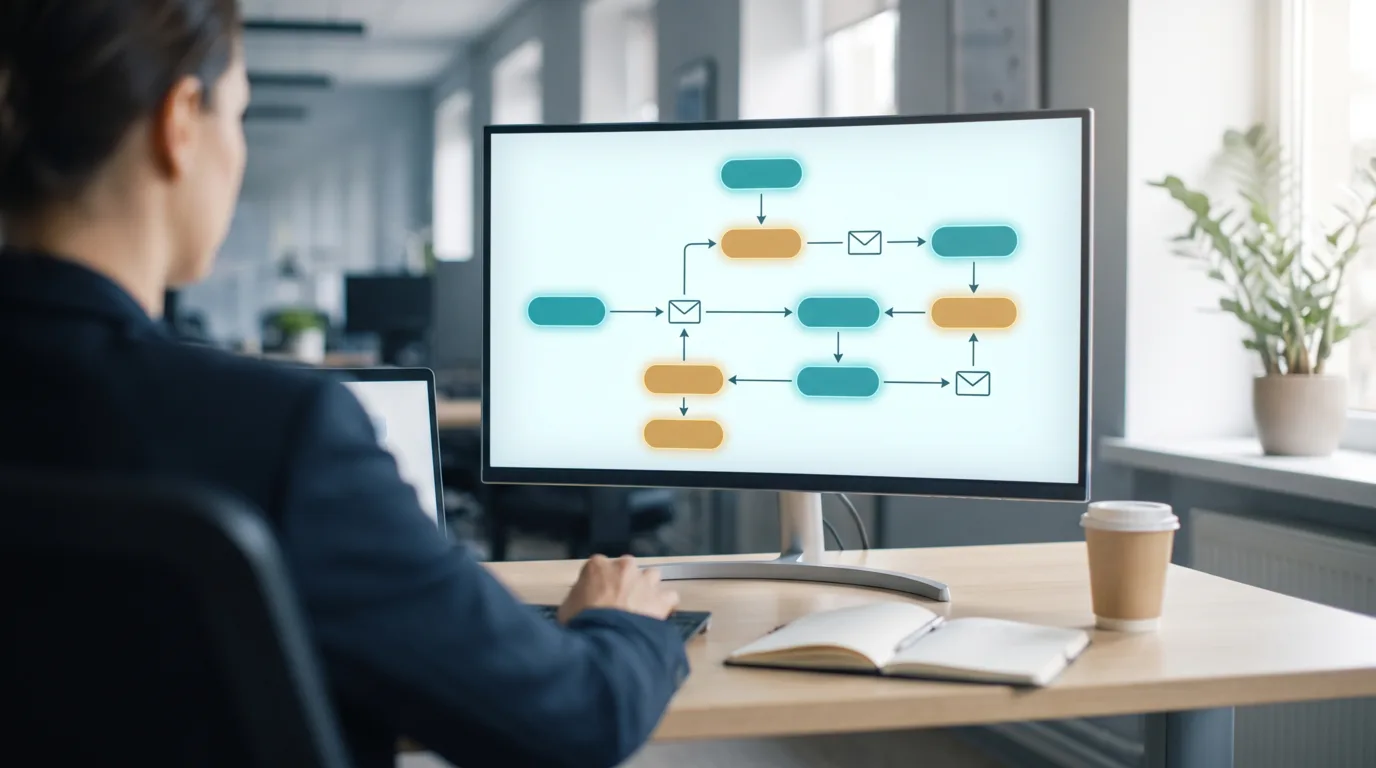
Here is how it looks strung together. A visitor downloads your pricing guide, which triggers the workflow. The platform waits an hour, then sends the guide with a short note. Two days later it checks whether they opened it. If yes, it sends a case study. If no, it resends the guide with a different subject line. A few days after that, anyone who clicked gets a soft invitation to book a call. You build that once, and it runs the same way for a handful of contacts or for tens of thousands, without any extra sending on your end.
What is the difference between email marketing and marketing automation?
Email marketing is the practice of sending marketing emails to a list, while marketing automation is the broader discipline of automating marketing tasks across many channels, with email automation sitting inside it as the most common piece. Put simply, all email automation is marketing automation, but marketing automation also covers things like SMS, web personalization, ad audiences, and lead scoring. For most small businesses the line barely matters, because email is where automation delivers the clearest return and the simplest starting point.
The reason the terms get muddled is that the big platforms blur them on purpose. A tool sold as “marketing automation” often leads with email because that is what most buyers want first. What you care about as an owner is scope. If your needs are email sequences triggered by signups and purchases, you want email marketing automation and little else. If you are coordinating email, text messages, and retargeting ads off the same customer data, you are stepping into full marketing automation, which costs more and takes more setup.
| Aspect | Email marketing automation | Broader marketing automation |
|---|---|---|
| Main channel | Email plus SMS, ads, web, and more | |
| Typical buyer | Small and mid-sized businesses | Larger teams and complex sales cycles |
| Setup effort | Low to moderate | Moderate to high |
| Cost direction | Lower, often starts free | Higher, scales with channels and contacts |
| Best first use | Welcome, cart, and re-engagement flows | Cross-channel journeys and lead scoring |
My usual advice is to not overbuy. Plenty of businesses pay for a heavy marketing automation suite and use maybe a fifth of it, all of which happens to be email. Start with the email piece, get it working, and move up only when you have a real cross-channel need you can point to.
What are the main types of automated email workflows?
The main types of automated email workflows are the welcome series, the abandoned cart or form follow-up, lead nurturing, post-purchase, and re-engagement, and together they cover most of what a small business will ever need. You do not build them all at once. You pick the one or two that map to where you are losing the most people today, launch those, and add the rest over time.
A welcome series greets new subscribers and sets expectations, and it tends to earn the strongest engagement of anything you send because interest is at its peak. An abandoned cart or form flow nudges people who started something and did not finish, which is often the fastest money an online store can find. Lead nurturing walks a prospect through a few educational emails before any hard ask, which suits service businesses with a longer sales cycle. Post-purchase emails confirm the order, ask for a review, and tee up the next purchase. Re-engagement, sometimes called a win-back, reaches out to contacts who have gone cold and gives them a reason to come back or a graceful way to leave your list.
| Workflow | What triggers it | Goal | Best for |
|---|---|---|---|
| Welcome series | New subscriber | Build trust, set expectations, first offer | Every business with a list |
| Abandoned cart or form | Started checkout or form, did not finish | Recover the sale or inquiry | Online stores and lead-gen sites |
| Lead nurturing | Downloaded a resource or booked a call | Educate and warm up a prospect | Service and higher-consideration sales |
| Post-purchase | Completed a purchase | Confirm, get a review, drive repeat sales | Ecommerce and repeat-service businesses |
| Re-engagement | No opens or clicks for a set period | Win back or clean the list | Any list that has aged |

One thing worth saying plainly: a re-engagement flow does double duty. It wins some people back, and for everyone it cannot revive, it gives you permission to stop emailing them. Removing dead weight from your list protects your sender reputation and your deliverability, which matters more than most owners realize. A smaller list of people who want to hear from you beats a big list that half-ignores you.
How do you set up email marketing automation?
You set up email marketing automation in six practical steps: define the goal, pick a platform, clean and segment your list, map the workflow, write the emails, then test and launch. None of these require a developer for a basic flow. A capable owner or marketer can stand up a solid welcome series in an afternoon, and the quality comes from the thinking, not the tooling.
Start with the goal, because it decides everything after it. “Turn more first-time buyers into repeat customers” leads to a very different workflow than “stop losing leads who fill out the contact form.” Once the goal is clear, choose a platform that fits your list size and budget, which the next section gets into. Then handle your data. Automation is only as good as the list underneath it, so remove duplicates and dead addresses and set up the segments or tags you will trigger on. With that in place, sketch the workflow on paper first, every trigger, delay, and branch, before you touch the software. Writing the emails comes next, and here the rule is to sound like a person, not a broadcast. Finally, test the whole thing with a dummy contact, walk every branch, check the links and the personalization, and only then switch it on.
| Step | What you do | Common mistake to avoid |
|---|---|---|
| 1. Define the goal | Name the one action the flow should drive | Automating for its own sake |
| 2. Pick a platform | Match tool to list size and budget | Overbuying features you will not use |
| 3. Clean and segment | Fix the data, build the segments | Triggering off a messy list |
| 4. Map the workflow | Diagram triggers, delays, branches | Building in the tool before planning |
| 5. Write the emails | Draft each message in a human voice | Robotic, overly salesy copy |
| 6. Test and launch | Walk every path, then turn it on | Shipping without a test run |
A quick word on the emails themselves, since they do the actual work. The links in an automated email usually send people to a page on your site, so that page needs to hold up. If a welcome email promises a discount, the landing page had better make claiming it obvious. It is worth pairing your automation work with some attention to landing page optimization and broader conversion rate optimization, because a perfectly timed email that drops someone onto a confusing page wastes the whole effort.
Which email marketing automation tools should you consider?
The email marketing automation tools worth considering for most Canadian small businesses include Mailchimp, Brevo, MailerLite, ActiveCampaign, Kit, Klaviyo, and HubSpot, and the right pick depends on your list size, your budget, and whether you sell products or services. There is no single best tool, only the best fit for what you are doing, and nearly all of them offer a free or low-cost tier you can test before committing.
Beginners tend to do well with Mailchimp, Brevo, or MailerLite, which pair friendly visual builders with generous starter plans. Service businesses that want deeper behavioral logic often reach for ActiveCampaign. Creators and newsletter-first businesses like Kit. Online stores frequently land on Klaviyo for its ecommerce-specific flows, and teams that want a full CRM alongside email look at HubSpot. For a wider look at platforms beyond automation, our guide to email marketing tools compares the broader field, and if you are watching costs closely, the breakdown of email marketing for small business in Canada covers pricing in more detail.
| Platform | Often suits | Automation strength |
|---|---|---|
| Mailchimp | Beginners wanting an all-rounder | Solid visual journeys and templates |
| Brevo | Budget-conscious teams | Email plus SMS, built-in CRM |
| MailerLite | Simple, clean starter needs | Easy automations on a low-cost plan |
| ActiveCampaign | Service businesses, complex logic | Deep behavioral branching |
| Kit | Creators and newsletters | Clean sequences and tagging |
| Klaviyo | Online stores | Ecommerce flows and data |
| HubSpot | Teams wanting a full CRM | Email inside broader automation |
Pricing on these platforms moves around and almost always scales with your number of contacts, so I would not pick on price alone. Pick the one whose automation builder you find genuinely easy to use, because you will be in it often. A tool you understand beats a cheaper one you avoid.
How much does email marketing automation cost in Canada?
Email marketing automation in Canada typically costs nothing to start on a free tier and climbs from roughly 20 to a few hundred Canadian dollars a month as your list and feature needs grow, with most small businesses settling somewhere between 20 and 100 dollars a month. Treat every figure here as a planning estimate rather than a quote, because the real number depends on your contact count, the platform, and whether you add things like SMS or a CRM.
The main cost driver is your list size. Platforms price in tiers tied to how many contacts you store, so a list of 500 and a list of 15,000 sit in very different brackets even on the same tool. Features matter too. Advanced branching, predictive sending, and ecommerce integrations usually live on higher plans. And if you would rather not run it yourself, there is the cost of help, whether that is a freelancer to build your flows or an agency to manage the whole program.
| Approach | Rough monthly range (CAD) | What you get |
|---|---|---|
| Free tier | 0 | Basic automation, small contact limit, platform branding |
| Entry paid plan | 20 to 70 | More contacts, core workflows, better reporting |
| Growth plan | 70 to 300 or more | Advanced branching, higher sends, integrations |
| Done-for-you help | Varies widely | A freelancer or agency to build and manage flows |
For a business just getting started, the honest answer is that you can begin for free or close to it and prove the value before you spend much. The cost that actually matters early is your time, not your subscription. Once a flow or two is earning its keep, moving up a tier becomes an easy decision rather than a leap of faith.
Is email marketing automation worth it for a small business?
Email marketing automation is usually worth it for a small business, because it handles timely follow-up that owners rarely have hours to do by hand, and it keeps working whether you are at your desk or not. The value is less about fancy features and more about consistency. The lead who gets a thoughtful follow-up an hour after reaching out, every time, is worth more than the one who waits three days because you were slammed.
That said, worth it is not the same as magic. Automation amplifies what you already have. If your list is small but engaged and your offer is solid, a few flows can do a lot. If your list was scraped or bought, or your emails are dull, automation just sends mediocre messages faster. It also needs a little upkeep, since flows drift out of date as your products, prices, and promotions change. The businesses that get the most out of it treat it as a living part of their marketing, not a set-and-forget box to tick. Pairing automation with efforts to grow your website traffic and build the list in the first place is what turns it from a neat trick into a steady contributor.

How does CASL affect email automation in Canada?
CASL, Canada’s Anti-Spam Legislation, applies to every commercial email you send, automated messages included, so each one needs consent to send, clear identification of who you are, and a working unsubscribe link that you honour promptly. Automating your email does not change your obligations. If anything it raises the stakes, because an automated flow can send thousands of messages before anyone notices a compliance gap. You can read the government’s own guidance on the official CASL website for the full picture.
Three practical points carry most of the weight. First, consent. You generally need express consent, meaning the person clearly opted in, or a limited form of implied consent that comes with time limits. Pre-checked boxes and quietly adding people you met once do not count. Second, identification. Every automated email must say who is sending it and include a valid mailing address and a way to contact you. Third, the unsubscribe. It has to be easy, work for at least 60 days, and be acted on within 10 business days. Build these into your templates once and every automated send inherits them.
| CASL requirement | What it means for automation |
|---|---|
| Consent | Only trigger flows for contacts who opted in, and track how and when they did |
| Identification | Include your business name, mailing address, and contact method in every template |
| Unsubscribe | Put a working opt-out in every email and remove people promptly |
| Records | Keep proof of consent in case you ever need to show it |
None of this is meant to scare you off. CASL is very manageable once your templates and signup process are set up correctly, and the habits it enforces, real consent and easy opt-outs, happen to be exactly what keeps your deliverability healthy anyway. If your business and your list sit outside Canada, note that other regions have their own rules, so build for the audience you actually email.
What are the most common email automation mistakes?
The most common email automation mistakes are automating before you have a strategy, triggering flows off a messy list, overloading new subscribers, forgetting to maintain workflows, and measuring the wrong things. Each one is easy to avoid once you know to look for it, and each one quietly drains the value out of an otherwise good setup.
Automating too early is the big one. Owners sometimes build elaborate flows before they have figured out what they want those flows to accomplish, and the result is busy but aimless. A messy list is the next trap, because sending automated emails to dead or non-consenting addresses hurts your deliverability and can put you offside of CASL. Overloading people is subtler: a welcome series that fires five emails in three days feels like a firehose and drives unsubscribes. Neglect is another, since a flow written last spring may now promote a product you discontinued. And measuring the wrong things, usually opens alone, hides whether the automation is actually driving the sales or bookings you built it for.
| Mistake | Why it hurts | Fix |
|---|---|---|
| No strategy first | Flows run but drive nothing | Define the goal before building |
| Dirty list | Poor deliverability, CASL risk | Clean data and honour consent |
| Too many emails too fast | Annoyance and unsubscribes | Space the sequence out sensibly |
| Set and forget | Outdated offers and broken links | Review flows on a schedule |
| Vanity metrics only | You cannot see real impact | Track the action the flow should drive |
If you take one thing from this list, make it the habit of reviewing your flows every quarter. Walk through each one as if you were a brand new subscriber, click the links, read the copy, and check that the offers still exist. It takes an hour and it catches the slow decay that turns a helpful sequence into a source of embarrassment.
How do you measure email automation performance?
You measure email automation performance by tracking the action each flow is meant to drive, then supporting that with engagement and deliverability metrics like open rate, click rate, conversion rate, and unsubscribe rate. The headline number should always tie back to the goal. A welcome series is judged by how many subscribers go on to buy or book, not by opens alone, even though opens tell you whether your subject lines are landing.
Open rate shows whether people are even seeing your message, though it has gotten noisier as inboxes pre-load images, so treat it as a directional signal rather than gospel. Click rate is sturdier, since a click is a real choice. Conversion rate is the one that pays the bills, measuring how many recipients took the action you wanted. Unsubscribe and spam-complaint rates are your early warning system, telling you when a flow is sending too often or to the wrong people. For deeper context on what a healthy conversion figure looks like, our piece on good conversion rate benchmarks is a useful companion.
| Metric | What it tells you | How to read it |
|---|---|---|
| Open rate | Whether people see the email | Directional, affected by inbox privacy features |
| Click rate | Whether the content earns action | More reliable than opens |
| Conversion rate | Whether the flow drives the goal | The number that matters most |
| Unsubscribe rate | Whether you are overdoing it | A spike means slow down or re-target |
| Revenue per flow | What a workflow is worth | Best measure for ecommerce automation |
A useful habit is to pick one primary metric per flow and review it monthly, with the supporting numbers there for context. Resist the urge to stare at every figure at once. Automation improves through small, deliberate tweaks, a new subject line here, a shorter delay there, measured against the one number that defines success for that particular workflow.
Where email automation fits in your wider marketing
Email automation works best as one connected piece of your marketing rather than an island, feeding on traffic from search, social, and ads, and feeding back into your sales and retention. The people who enter your automated flows have to come from somewhere, which is why list growth and traffic matter so much. A beautifully built welcome series does nothing if nobody is subscribing.
This is where the rest of your marketing earns its keep. Steady organic visibility from small business SEO brings new people to your site who can opt in. Strong offers and content give them a reason to. And once they are on your list, automation makes sure the follow-up happens every time, which is exactly the kind of consistency a busy owner cannot deliver by hand. Seen this way, automation is what quietly connects the leads you work hard to earn with the revenue you are trying to grow. If you want help wiring that engine into the rest of your email marketing, that is the sort of work a full-service agency handles day to day.
Frequently asked questions
What is automation in email marketing?
Automation in email marketing means using software rules to send emails automatically based on a trigger, a schedule, or a subscriber’s behavior, instead of sending each message by hand. You build a workflow once, and the platform sends the right email to each contact at the right moment, whether that is a welcome note seconds after signup or a reminder two days after an abandoned cart. It saves time and makes your follow-up consistent.
How do I start email marketing automation as a beginner?
Start by picking one goal, such as welcoming new subscribers, then choose a beginner-friendly platform with a free plan and build a single short sequence. Clean your list first, map the emails on paper, write them in a natural voice, test the flow with a dummy contact, and switch it on. One working welcome series teaches you more than any amount of planning, and you can add more flows once the first proves itself.
Is email marketing automation worth it for a small business?
For most small businesses it is, because it handles timely follow-up that owners rarely have time to do manually and it runs around the clock. The value depends on having an engaged list and a worthwhile offer, since automation amplifies what you already have rather than creating demand from nothing. If those pieces are in place, even two or three simple flows can contribute steadily.
What is the difference between an email sequence and a workflow?
A sequence is a set of emails sent one after another, while a workflow is the fuller map that includes those emails plus the triggers, delays, and conditional branches around them. Every sequence is part of a workflow, but a workflow can do more, such as sending different emails to people who clicked versus those who did not. In casual use the terms often overlap, and the distinction matters most when your automation gets more advanced.
How many emails should a welcome series have?
A welcome series commonly runs three to five emails spread over the first week or two after someone subscribes, though the right number depends on your business and how much you have to say. The first email should arrive quickly while interest is high, and the rest should space out so they feel helpful rather than relentless. Quality matters more than quantity, so send fewer strong emails rather than padding the series.
Does email automation require coding or a developer?
No, basic email automation does not require coding or a developer. Modern platforms use visual builders where you drag triggers, delays, and emails into place, so a capable owner or marketer can build a solid welcome or follow-up flow without technical help. You may want a developer only for deep integrations, such as connecting automation to a custom website or a specialized database, which most small businesses do not need early on.
What triggers can start an automated email?
Common triggers include subscribing to a list, making a purchase, abandoning a cart or form, clicking a specific link, being added to a segment or tag, or hitting a period of inactivity. Some platforms also trigger on dates, like a birthday or a subscription renewal. The trigger you choose should match the moment you want to reach someone, since timing is most of what makes automation effective.
How often should I review my email automations?
Review your automated flows at least once a quarter, and sooner if you change products, prices, or promotions. Walk through each flow as a new subscriber would, check that links work, offers still exist, and the copy still sounds right. Flows quietly go out of date, so this habit catches broken links and stale offers before they reach real customers. It usually takes about an hour per review.
Can I use email automation if I only have a small list?
Yes, a small list is often the best time to start, because you can set up flows while things are simple and let them grow with you. Many platforms offer free or low-cost plans suited to small lists, and a welcome series works just as well for 100 subscribers as for 10,000. Starting early means your automation is already in place as your list grows, rather than something you scramble to build later.
Is email marketing still effective in 2026?
Email remains one of the more dependable marketing channels because you own your list rather than renting access through a platform’s algorithm. Inboxes are crowded, so results depend on sending relevant, wanted messages to people who chose to hear from you, which is exactly what automation and good segmentation help you do. It is not a guaranteed win, but for businesses that respect their subscribers it continues to earn its place.
What is the difference between email marketing and marketing automation?
Email marketing is sending marketing emails to a list, while marketing automation is the wider practice of automating marketing across channels, with email automation being its most common component. For a small business focused on email sequences, the two are effectively the same thing. The distinction becomes real when you coordinate email with SMS, ads, and web personalization off shared customer data, which is full marketing automation and a bigger undertaking.
Do automated emails have to follow CASL in Canada?
Yes, CASL applies to automated commercial emails exactly as it applies to manual ones. Every automated send needs valid consent, clear identification of your business with a mailing address, and a working unsubscribe that you act on promptly. Because automation sends at scale, building these requirements into your templates and only triggering flows for people who opted in is the safest way to stay compliant. This is general guidance, not legal advice.
How much should a small business budget for email automation?
Many small businesses can start free and spend somewhere between 20 and 100 Canadian dollars a month once they move to a paid plan, with the figure rising as the list grows and features expand. Treat that as a planning estimate rather than a fixed price, since cost depends mostly on your contact count and chosen platform. The larger early investment is usually your time to set things up, not the subscription itself.
What is an abandoned cart email and does it work?
An abandoned cart email is an automated reminder sent to a shopper who added items and left without buying, nudging them to complete the purchase. For online stores it is often one of the highest-returning automations because it reaches people who have already shown clear intent. Results vary by store, price point, and how the email is written, so test timing and messaging rather than assuming a single template will perform everywhere.
How is email automation different from a regular newsletter?
A newsletter is a single email you write and send to your whole list or a segment at a chosen time, while automation sends pre-built emails to individuals based on their actions. The two work together. Your newsletter keeps your audience warm with fresh content, and your automated flows handle the timely, one-to-one follow-up like welcomes and reminders. Most healthy email programs run both rather than choosing between them.
Can email automation help a service business, not just ecommerce?
Yes, service businesses benefit from automation through lead nurturing and follow-up flows even though they have no cart to abandon. A contact who books a consultation or downloads a guide can enter a short sequence that educates them and makes it easy to take the next step, which shortens the gap between interest and a booking. The workflows differ from an online store’s, but the core value, consistent and timely follow-up, is the same.
Related articles
- What Is Email Marketing? A Guide for Canadian Businesses
- Email Marketing Strategy: A Guide for Canadian Businesses
- Email Marketing Tools: A Guide for Canadian Businesses
- Email Marketing for Small Business in Canada
- Conversion Rate Optimization: A Guide for Canadian Businesses
Ready to put your email on autopilot the right way? Our team can map and build the automated flows that fit your business through our email marketing services, and you can get in touch for a conversation about where automation would help most.
Sources: Government of Canada, Canada’s Anti-Spam Legislation (fightspam.gc.ca); platform documentation from the email providers referenced above. Figures are planning estimates and general education, not guarantees or legal advice.
n